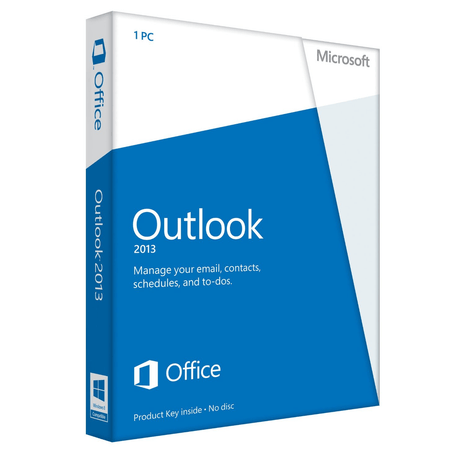
Easily manage emails with Microsoft Outlook 2013
Microsoft Outlook 2013 provides you with a comprehensive tool for professionally managing your email accounts. Whether you want to centrally organize just one email address or several, Microsoft Outlook 2013 helps you easily manage all your email accounts in a single mailbox. The intuitive and user-friendly interface of Microsoft Outlook 2013 allows you to quickly and easily get started with the successful email management program from Microsoft .
The popular email software offers you the ability to create clear folder structures and topic-based folders. This allows you to organize your emails effectively and always maintain a complete overview of your inbox. Other valuable additional features help you organize your daily life efficiently. For example, you can easily and clearly organize your upcoming tasks using to-do lists, enter important meetings or friends' birthdays in your calendar, and manage your contacts centrally using address books.
Easy synchronization between different devices allows you to use Microsoft Outlook 2013 on your smartphone or tablet, allowing you to access your emails, contacts, tasks, and appointments anytime, anywhere in the world. Furthermore, several security improvements have also been made. This comprehensive email management program boasts intelligent features such as the new Safe Link service. This feature immediately scans embedded links from your email inbox for potential malware and phishing attacks in the background, allowing you to easily avoid the risk of these scams in the future.
With Microsoft Outlook 2013, you get a comprehensive software solution for managing your emails, tasks, contacts, and appointments. Organize one or more email addresses clearly and centrally in a single mailbox.
A NOTICE:
Click-to-Run is the technology used to install Office 365 subscription products and most versions of Office 2013 and later. Windows Installer (MSI) technology was used to install volume license editions of older versions of Office 2016, such as Microsoft Office Professional Plus and Microsoft Office Standard.
You can't install the same version of Office products that use two different installation technologies on the same computer. This includes standalone applications such as Access, Visio, Project, Skype for Business, or OneDrive for Business.