Professional word processing with Microsoft Word 2019
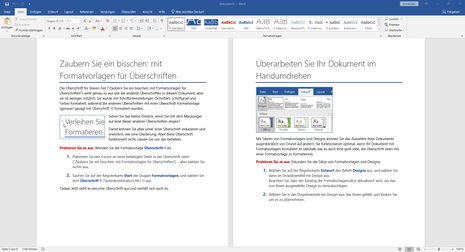
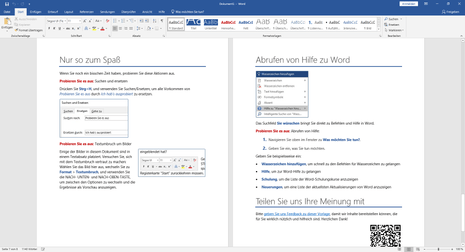
Microsoft Word 2019 offers you a comprehensive tool for professional word processing, ideal for school, university, or everyday tasks. With its wide range of features, you can quickly create professional texts, invitations, or form letters, even without prior knowledge.
Convenient features like automatic spell checking help users, regardless of their experience level, create flawless and well-formatted documents. When you purchase Microsoft Word , you'll benefit from an intuitive and user-friendly interface that ensures easy navigation and efficient use in Word 2019 .
Key features of Microsoft Word 2019 include
Touchpad and pen input: New options improve usability for data entry.
OneDrive integration: Facilitates collaboration with real-time updates and robust security standards.
SmartArt graphics : Help visualize work results more clearly.
Microsoft Office 2019 Suite includes
Microsoft Office 2019 Word: A core component for word processing.
Microsoft Office 2019 Excel and PowerPoint: Complementary tools for spreadsheets and presentations.
Installation and purchase information
To purchase Microsoft Word 2019, visit softwaredealz.de. Purchasing from softwaredealz.de offers several benefits:
Competitive pricing : Get Microsoft Word 2019 at a low price.
Genuine Software: Guarantee of receiving a legitimate and fully licensed product.
Customer Service : Access to dedicated customer service for inquiries or issues.
Secure Transactions: Secure payment system to protect your purchase.
Convenient Delivery : Fast and easy digital delivery for instant access to your software.
A NOTICE
Click-to-Run is the technology used to install Office 365 subscription products and most versions of Office 2013 and later. Windows Installer (MSI) technology was used to install volume license editions of older versions of Office 2016, such as Microsoft Office Professional Plus and Microsoft Office Standard.
You can't install the same version of Office products that use two different installation technologies on the same computer. This includes standalone applications such as Access, Visio , Project, Skype for Business, or OneDrive for Business.
| Platform
|
Windows 10 |
| Processor
|
Processor with at least 1 GHz, 32-bit (x86) or 64-bit (x64) - significantly faster recommended |
| R.A.M.
|
at least 2 GB RAM 32 bit / 64 bit), 4 GB RAM recommended (32 bit / 64 bit) |
| Graphics card
|
DirectX 9 graphics card (minimum) with WDDM 1.0 driver, DirectX 10 graphics card (optimum) |
| Sound card
|
n/a |
| Hard drive
|
At least 16 GB of hard disk space on the installation drive (32-bit), 20 GB of hard disk space (64-bit)
|
| Screen |
800 x 600 pixels (minimum) |
FAQs
What are the main differences between Microsoft Word 2019 and Microsoft Word 2021?
Microsoft Word 2021 includes additional features such as improved collaboration tools, better performance, and new productivity enhancements compared to Microsoft Word 2019.
How do I download Microsoft Word 2019?
Visit Software-Dealz to download Microsoft Word 2019.
How do I insert page numbers in Microsoft Word 2019?
Go to the Insert tab, click Page Number, and select the position and style for your page numbers.
Where can I buy Microsoft Word 2019?
Microsoft Word 2019 can be purchased at softwaredealz.de.
How do I activate Microsoft Word 2019 with a product key?
Open Word, go to "File," then "Account," and click "Activate Product." Enter your product key when prompted.
What is the difference between Microsoft Office 2019 Word, Excel and PowerPoint?
Microsoft Office 2019 Word is for word processing, Excel is for spreadsheets and Powerpoint is for presentations.
Can I use clipart in Microsoft Word 2019?
Yes, go to the Insert tab, click Online Pictures, and browse for clip art to insert into your document.