Schneller digitaler Versand – 30 Sekunden Versand
Microsoft Logo

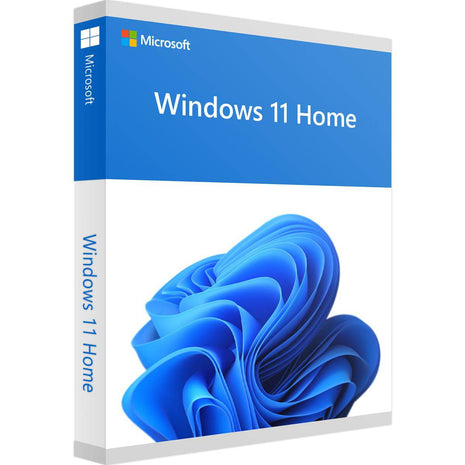
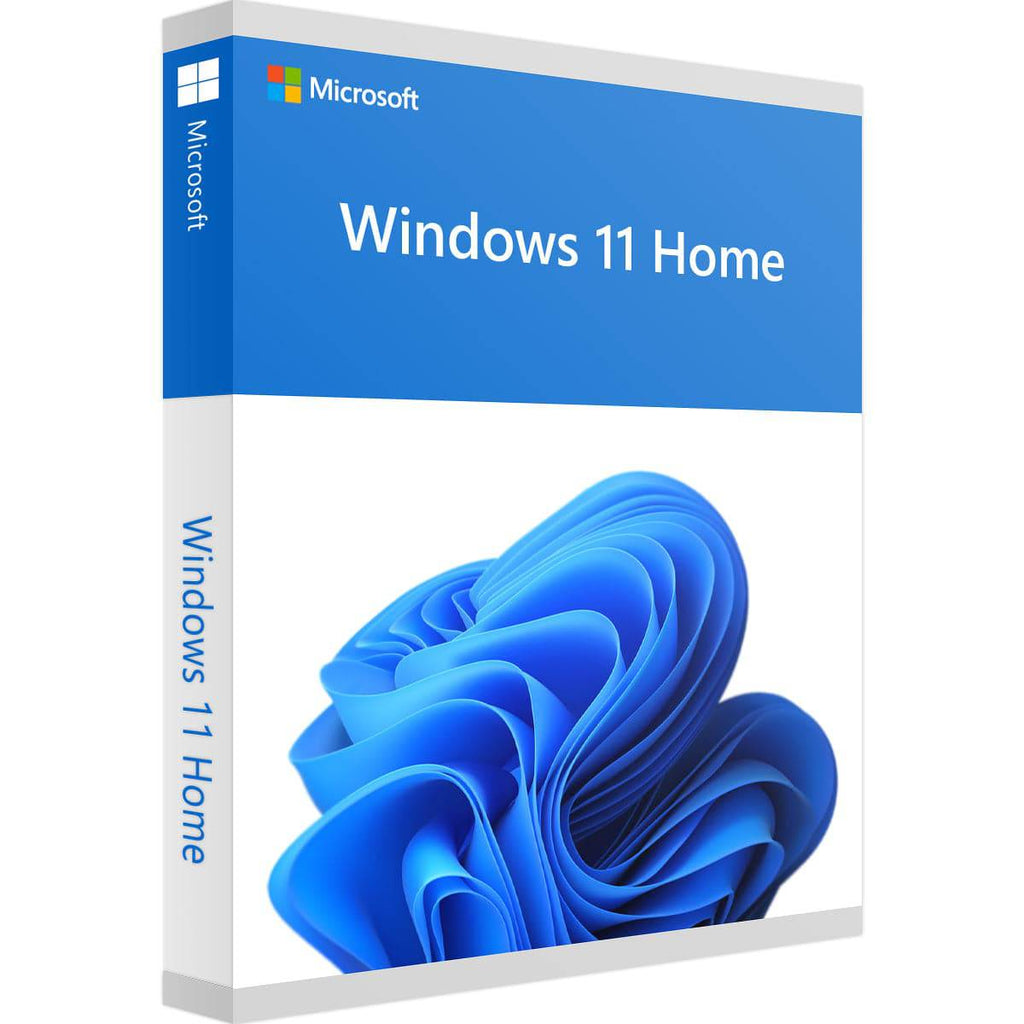
Windows 11 Home

🎁SALESave 38%

Shipping method: Instant download
Anzahl Lizenzen:
1 PC
Laufzeit:
Dauerlizenz (unbegrenzt)
Plattform:
Windows
Sprache:
All languages
Price:
Sale price€12,99 Regular price€20,99

Tax included Shipping calculated at checkout

Stock:
In stock
Software jetzt nutzen, später zahlen
100% Aktivierungsgarantie

Info Beim Kauf von Windows 11 Home erhalten Sie sofortigen Zugriff auf:

  • Ihren Windows 11 Home Lizenzschlüssel
  • Original-Software als Download
  • Unterstützung & Support bei der Installation

Windows 11 Home Online kaufen in 3 einfachen Schritten

01.Kaufen

Sicher einkaufen mit SSL-Verschlüsselung.

02.Downloaden

Direkt nach dem Kauf herunterladen.

03.Installieren

Die Software in Sekunden installieren und aktivieren.

Back to Office - SALE

00
Tage
00
Stunden
00
Minuten
00
Sekunden

Buy Windows 11 Home – Fast, Secure & Direct at Software- Dealz  

Windows 11 Home is the next Evolutionary stage of Windows. It is the most significant update of the Windows operating system since Windows 10 . It offers numerous Innovations that aim aim to increase productivity the Users in a flexible and liquid Experience to Improve . Designed to meet today 's hybrids Working environments just to Windows 11 Home is designed to be the most reliable , secure , connected , and powerful Buy Windows 11 operating system all Times be . If She Your system better and more powerful make want is​ Buying Windows 11 Home is the right choice. 
 

Whatis Windows 11 Home?  

Let's discuss what Windows 11 Home is. It's Microsoft's latest operating system, designed specifically for users who use their PCs for everyday tasks, entertainment, and gaming. With a genuineWindows 11 Home key, you get access to a modern and user-friendly interface with enhanced performance and security. 
 

Important Functions the Windows Home Software

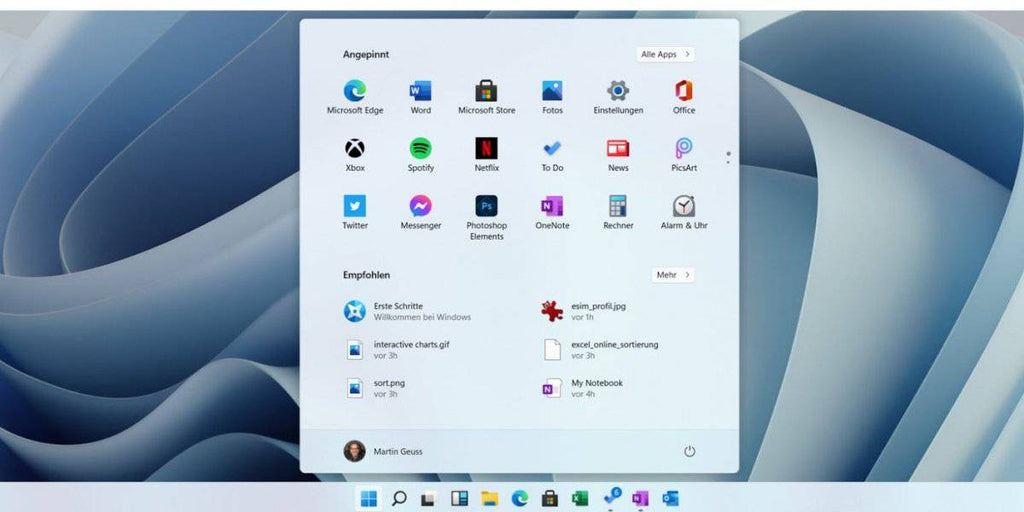
  • If She Buy Windows 11 Home , get She a completely revised and user-friendly Start menu .

  • Multitasking is facilitated by Snap Layouts – perfect for productive Work with several windows .

  • With Windows 11 Home OEM can You can use Android apps directly on your PC and thus more flexible work .

  • The integration of Microsoft Teams ensures for seamless Communication , no matter whether professionally or private .

  • Her personal Data are excellent protected – with extended Security at its highest level .

  • For activation​ need She a valid windows 11 home product key , the Them full Access to all Functions offers . 

This Windows Home Software is ideal for all who have a smooth and efficient Experience at the Surfing , working and media enjoyment wish . 

Enjoy She a faster and optimized system in which advanced tools your productivity daily increase – 


Highlights of Windows 11 Home at
a glance View
 

Realize She Her Dreams with the power of the A I 

AI - supported Features in Win 11 improve Your PC experience and increase Her Productivity . Enjoy She a more intuitive and powerful system that is modern Requirements developed became .

Intelligent app control 

The AI ​​recognizes which apps are under Microsoft Windows 11 Home secure executed become can . These function protects Your system and ensures at the same time for a smooth Sequence trustworthy Applications .

Microsoft Copilot 

Copilot is Her personal AI Assistant that helps you anytime to Page stands . He supports She at the Write , search and work more efficiently .

Generative Delete 

Remove She unwanted Elements out of Photos , as would be she never there This AI - powered tool makes Photo editing effortlessly .

All Files in one place 

The new file Explorer centralized all Her Documents . Find She recommended , favorited and recently used Files quickly , with Autocomplete to acceleration everyday Tasks .

Screen recording light made 

Capture or draw She everything that is on your Screen displayed will – with dem Snipping Tool. Click , frame drag , save – so easy is it .

Connect She Your PC with your smartphone 

With Phone Link you can She Your Android™ or iPhone ® device with Sync with your PC . See She Notifications , send She Messages and make She calls direct from the computer . 


Time savings with Snap Layouts 

Organize with Snap Layouts She Window efficient . Fit She Your screen and concentrate She focus on the essentials . 
 

Security for the AI​​era 

Windows 11 Home offers advanced Security layers for Her Peace of mind . Her digital Life remains protected – in your hands . 
 

Modern design 

Microsoft Windows 11 offers a completely revised , elegant design. Rounded corners , a centered Start menu and new Symbols care for for a fresh , modern look & feel. 

Snap Layouts & Virtual Desktops  

Organize with Snap Layouts She Her Window fast and efficient . Virtual desktops enable it , different Work areas for different Tasks to create . 
 

Gaming Mode & Auto HDR 

Gaming mode optimizes performance​ at the Play . Experience with Auto HDR She more intensive Colors and better Graphics quality – for a impressive gaming experience . 
 

Security & Registration 

Windows 11 protects with extended Security features . Functions how to enable Windows Hello one fast and secure Login via facial recognition or Fingerprint . 
 

Microsoft Teams & RDP access 

Microsoft Teams is direct integrated to facilitate chats and meetings Access via Remote Desktop ( RDP ) You from anywhere safely to your PC .​ 


Copilot in Windows 11 Home –
Quick Guide
 

1. Find a copilot  

If you have Windows 11 64-bit , you will usually find Copilot directly in the Taskbar or in the Start menu . Should it missing , you can​ simply himself install . 
 

2. Log in and start 

Open Copilot and report you with your Microsoft account .​ you get access to chat history , voice functions and more smart tools. 
 

3 . Faster Access via keyboard shortcut 

With Alt + Space you can use Copilot at any time open . This function lets in the settings activate or turn off . 
 

4. Talk to copilot 

Hold Alt + Space for 2 seconds Press to activate Copilot by voice command to to use . A microphone shows you that Copilot is listening . 
 

5. Voice control adjust 

Adjust the voice function under Settings – choose whether you want to press the button hold or once press want . 

More from Windows 11 Home  

Copilot helps you , faster to work , better to search and make your PC more efficient to use – perfectly integrated into your system . 
 

Your Windows 11 Home license 

If you want to improve your PC want is​ one real Windows 11 Home license just the right thing . You gives you access to all Features , including Copilot. At Software- Dealz you can easily and safely Buy Windows 11 Home . Instant download, easy Activation and full Functionality . 
 

On the Search after cheap Windows 11 keys? 

Get your​ Buy Windows 11 key quickly and conveniently – at us you will find reliable Offers . 

Why at Software- Dealz buy ?

✔ Genuine Windows 11 Home license for the cheap Price 
✔ Instant download and easy activation  
✔ Update She Your PC with the latest Windows Home Software 
✔ Modern design with improved Speed ​​and performance 
✔ Snap layouts and virtual desktops for better multitasking 
✔ Integration of Microsoft Teams for seamless communication 
✔ Advanced Security with Windows 11 Home features 
✔ Legal and tested software – trustworthy Windows 11 operating system buy 
✔ Expert support for Her Windows 11 Home Keys anytime available

Close​ itself thousands satisfied Customers who use software deals for trust safe , affordable and genuine software.

A notice : To start the installation wizard to your PC must be equipped with Windows 10 version 2004 or higher run . In addition should at least 9 GB free Storage space available to be able to use Windows 11 Home to download .

Windows 11 Home minimum system requirements

component

Requirement

processor

1 GHz or faster, 2 or more cores, 64-bit processor or SoC

R.A.M.

4 GB

memory

64 GB or more

System firmware

UEFI, Secure Boot capable

TPM

TPM version 2.0


 Copilot+ PC requirements

component

Requirement

processor

NPU with 40+ TOPS: AMD Ryzen™ AI 300, Intel® Core™ Ultra 200V, Snapdragon® X

R.A.M.

16 GB DDR5 / LPDDR5

memory

256 GB SSD / UFS

component

Requirement

processor

1 GHz or faster, 2 or more cores, 64-bit processor or SoC

R.A.M.

4 GB

memory

64 GB or more

System firmware

UEFI, Secure Boot capable

TPM

TPM version 2.0


Windows 11 vs Windows 10 comparison

function

Windows 11 

Windows 10 

touchscreen 

✔ (Improved)

✔ (Basic)

Widgets 

✔ (Integrated)

✖ (News & Interests only)

TPM 2.0 

✔ (Required)

✔ (Optional)

Advanced network security 

✔ (Improved)

✔ (Basic)

Synchronization of PC and phone 

✔ (Android & iPhone)

✔ (Android only)

Windows on ARM 

✔ (Improved)

✔ 

Narrator (screen reader) 

✔ (Natural voices)

✔ (Basic)

Contrast designs 

✔ 

✔ 

Voice Access 

✔ (Full commands)

✖ (Dictation function only)

Microsoft Store 

✔ (Redesigned)

✔ (Basic)

Photos app 

✔ (iCloud integration, background blur)

✔ (Basic)

Paint 

✔ (AI tools)

✔ (Basic)

Snipping Tool 

✔ (Screen recording)

✔ (Basic)

Digital pen input 

✔ (Improved)

✔ (Basic)

Windows Backup 

✔ (Backup and Restore)

✔ (Backup only)

Below you will find all information about shipping and payment conditions:

Prices

The prices stated on the product pages include statutory VAT and other price components.

Shipment

Delivery of download products:

Delivery is exclusively digital via email. This is free of charge to all of the countries we specify.

For all payment methods except prepayment and purchase on account, digital shipping takes place within 1 minute after successful processing of the payment.

Delivery of physical products:

You will receive your personalized product key, along with your data storage device (CD/DVD/USB), and installation instructions by mail 1-3 business days after receipt of payment. Shipping within Germany costs €5.99, to Austria €8.99, and to Switzerland €12.49 and may take 1-5 business days.

You will receive a tracking number for each shipment via email, which you can use to track your shipment using the following link:

Where is my shipment?

(Please provide the shipping date from the email and your tracking number.)

Our payment options:

  • PayPal
  • Prepayment
  • credit card
  • Statispay
  • Pay with Klarna
  • EPS
  • Purchase on account for companies

Further details on payment

- Your credit card account will be charged upon completion of the order.

- If paying by invoice, the invoice amount must be paid within 14 days.

- Purchase on account is only available to companies.

In order to offer you Klarna's payment options, we will transmit personal data, such as contact details and order details, to Klarna. This allows Klarna to assess whether you are eligible for the payment options offered through Klarna and to adapt the payment options to your needs. General information about Klarna can be found here. here . Your personal information will be processed by Klarna in accordance with applicable data protection regulations and as stated in Klarna's privacy policy treated.

1. Buy
Benefit from our low prices and offers.

2. Download
You can download and use your software immediately.

3. Receive key
You will receive the product keys for your software by email.

4. Activate
Activate the software with the product key received by email.

A notice:

This only applies to the instant download version and requires receipt of payment.

If you purchased your software as a USB/DVD, you will receive the product key and the data carrier by post within 3 working days of receipt of payment. Install the software via the data carrier and then simply activate it with the included product key.

100% SICHERE ZAHLUNG

American Express Cartes Bancaires Maestro Mastercard Visa Visa Electron

Your payment information is processed securely. We do not store credit card details nor have access to your credit card information.

Windows 11 Home Online kaufen in 3 einfachen Schritten

01.Kaufen

Sicher einkaufen mit SSL-Verschlüsselung.

02.Downloaden

Direkt nach dem Kauf herunterladen.

03.Installieren

Die Software in Sekunden installieren und aktivieren.

Die Aktivierung ist ganz einfach: 

  1. Öffnen Sie die Windows-Einstellungen (Windows-Taste + I) 
  2. Navigieren Sie zu "Update und Sicherheit" 
  3. Wählen Sie "Aktivierung" aus 
  4. Klicken Sie auf "Product Key ändern" 
  5. Geben Sie Ihren 25-stelligen Product Key ein 
  6. Folgen Sie den Anweisungen zur Aktivierung 

Die Aktivierung erfolgt automatisch, wenn Sie mit dem Internet verbunden sind. 

Erstellen Sie einen Windows 11 Home Bootstick, starten Sie Ihren PC neu und folgen Sie den Anweisungen auf dem Bildschirm.

Ja, absolut! Ihr Windows 11 Home Key ist eine Vollversion mit lebenslanger Gültigkeit. Sie zahlen nur einmal und können Windows 11 Home dauerhaft nutzen. Es fallen keine monatlichen oder jährlichen Gebühren an. Sie erhalten außerdem kostenlose Sicherheitsupdates von Microsoft.

Nein, jede Windows 11 Home Lizenz ist für einen PC bestimmt. Wenn Sie Windows 10 auf mehreren Computern installieren möchten, benötigen Sie entsprechend mehrere Lizenzen. Bei uns erhalten Sie Mengenrabatte ab 3 Lizenzen.

Bei digitaler Lieferung erhalten Sie Ihren Product Key innerhalb von 1-5 Minuten nach Zahlungsbestätigung per E-Mail. Bei USB/DVD-Versand erfolgt die Lieferung innerhalb von 1-3 Werktagen per Post mit Tracking-Nummer.

Windows 11 Home funktioniert nur auf älteren PCs, wenn die wichtigsten Systemanforderungen erfüllt sind.

Ihr PC benötigt vor allem:

  • einen 64-Bit-Prozessor
  • mindestens 4 GB RAM
  • mindestens 64 GB Speicherplatz
  • TPM 2.0
  • UEFI mit Secure Boot
  • eine DirectX 12 kompatible Grafikkarte

Viele ältere Geräte unterstützen besonders TPM 2.0 oder Secure Boot nicht. In diesem Fall ist Windows 11 Home möglicherweise nicht geeignet.

Tipp: Wenn Sie uns Ihr PC-Modell, den Prozessor und den Arbeitsspeicher nennen, prüfen wir gerne, ob Windows 11 Home auf Ihrem Gerät funktioniert.

Sie können Windows 11 Home direkt und sicher über Software-Dealz.de kaufen – mit sofortigem Produktschlüssel und E-Mail-Zustellung.

Ja, Windows 11 Home unterstützt Microsoft Office 2024 vollständig. Sie können Office 2024 auf Windows 11 Home installieren und Programme wie Word, Excel, PowerPoint, Outlook und OneNote nutzen.

Wichtig ist nur, dass Ihr PC die grundlegenden Systemanforderungen erfüllt:

  • Windows 11 oder Windows 10
  • mindestens 4 GB RAM
  • mindestens 4 GB freier Speicherplatz
  • Bildschirmauflösung ab 1280 × 768 px
  • Internetverbindung für Download und Aktivierung

Falls Ihr Gerät im S-Modus läuft, kann die normale Office-Installation eingeschränkt sein. In diesem Fall sollte der S-Modus vor der Installation deaktiviert werden.

Kurz gesagt: Ja, Windows 11 Home ist für Microsoft Office 2024 geeignet. Microsoft bestätigt Office-2024-Unterstützung für Windows 11 und Windows 10.

  • 5 stars: 96 (79%)
  • 4 stars: 17 (14%)
  • 3 stars: 8 (7%)
  • 2 stars: 0 (0%)
  • 1 star: 1 (1%)
H
Hans-Jürgen T.

Einkauf war schlecht. Statt CD-Sofware habe Ich sofortdounladen erhalten. Dazu bekomme Ich nicht mal die Produkte Key.
Ich möchte Software CD erhalten. Ansonsten lasse Ich von Klarna das Geld zurückfordern. Mit besten Grüßen Thießen Hans-Jürgen.

A
Anonym

Alles Bestens! Danke!

R
Rainer B.

jetzt wo ich Win 11 Pro habe ist alles gut.

W
Wilfried V.

Bin sehr zufrieden

A
Anonym

Es hat sehr gut funktioniert. Optimal!

A
Anonym

Alles prima

L
Lars H.

Läuft super

F
Fred P.

Alles super bin Sehr zufrieden mit dem stick und der Betriebssystem

A
Anonym

Alles zur vollsten Zufriedenheit geliefert und problemlos Windows 11 als neues Betriebssystem installiert. Klare Empfehlung.

A
Anonym

Mit den Lizenzen gab es Schwierigkeiten, musst 2 mal den Support kontaktieren
um eine neue Lizenz zu erhalten! danach war alles gut.

A
Anonym

Hat alles supergeklappt.

A
Anonym
Schnelle Hilfe vom Support Team

Es fehlten bei 5 Software Bestellungen zwar 2 Produkt-Keys. Aber nach einem Telefonat wurden diese sofort nachgeliefert. Alles in Ordnung.

A
Anonym
Schnelle Probleme Lösung bzw schneller…

Schnelle Probleme Lösung bzw schneller Neu Versand.

A
Anonym
Windows herunterladen

Sehr gute und einfache Beschreibung für das herunterladen

T
Thomas H.
Nicht ganz ok

Leider konnte ich meine Laptop nicht auf Windows 11 updaten, da er laut Installationsroutine nicht für 11 ausgelegt ist.

A
Anonym
Schnell und einfach

Schnelle und ausführliche Antwort auf meine Fragen

A
Anonym
Empfehlenswert

günstig , schnell und gut

J
JOSEF S.
hat alles gepasst

hat alles gepasst

A
Anonym
Gute Schnelle Lieferung,Fairer Preis

Ich bin sehr zufrieden. Da der Preis super war und die Lieferung schnell verlief

A
Anonym
Sehr schnelle Lieferung

Sehr schnelle Lieferung. Es hat alles super geklappt. Gerne wieder.

A
Anonym
Schnell und gut

Schnell und gut

A
Anonym
Top Service

Die Lizenzschlüssel kamen immer sofort an nach Zahlung und funktionierten einwandfrei.

A
Anonym
Alles gut und wie beschrieben…

Alles gut und wie beschrieben funktioniert. Schnelle Zusendung

A
Anonym
Von Bestellung bis Versendung alles…

Von Bestellung bis Versendung alles okay. Gerne wieder.

A
Anonym
Alles gut.

Alles gut.

A
Anonym
Schnell und einfach

Schnell und einfach

A
Anonym
Super schnelle Hilfe

Super schnelle Hilfe

J
Juergen S.
Schon das zweite Mal eine Bestellung…

Schon das zweite Mal eine Bestellung aufgegeben. Immer wieder zufrieden.

A
Anonym
Sehr gut passt gut auf mein pc

Sehr gut passt gut auf mein pc

A
Anonym
Bestens

Schnell bestellt und zuverlässig und zügig geliefert. Gerne wieder!

A
Anonym
Supi

Supi

A
Anonym
Su

Super

T
Thomas P.
Erst fehlerhaft, dann aber sehr schnell behoben.

Erster Artikel funktionierte nicht ganz. Das kann passieren. Wurde nach Meldung aber sehr schnell und freundlich noch Mal versandt. Der hat dann funktioniert, sodass ich bei einer guten Bewertung bleiben kann.

A
Anonym
Kann nur empfehlen

Leider hat mein alter Rechner doch Windows 11 nicht unterstützt, die Rückabwicklung der Windows 11 Lizenz ging schnell und problemlos

A
Anonym
Guter Kaufablauf.

Guter Kaufablauf.

Product recommendations

last seen