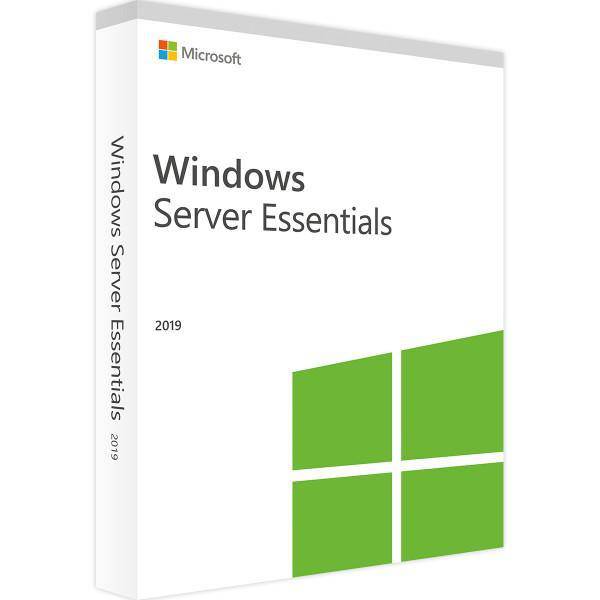
Windows Server 2019 Essentials: The reliable server solution
Why choose Windows Server 2019 Essentials?
Windows Server 2019 Essentials is the ideal server operating system for small businesses, providing a robust platform for seamless and high-performance server operations. Designed for organizations with up to 25 users and 50 devices, it builds on the success of Windows Server 2016 , offering enhanced features and improved performance. This server solution simplifies the setup of complex networks and internal data centers, making it easier than ever to manage your IT infrastructure.
Key features of Windows Server 2019 Essentials
Support for Microsoft SQL Server and SharePoint
Windows Server 2019 Essentials extends its compatibility to Microsoft SQL Server and Microsoft SharePoint, helping small businesses manage their data more effectively.
Integration with Microsoft cloud services
Project Honolulu enables you to seamlessly connect your on-premises Windows server with Microsoft cloud services such as Azure Backup, Disaster Recovery, and Azure File Sync and integrate them into your existing infrastructure.
Improved security with Windows Defender ATP
Windows Server 2019 Essentials includes Windows Defender Advanced Threat Protection (ATP), which provides enhanced security features to protect against zero-day exploits and centrally manage the entire security lifecycle.
Support for Linux VMs
The operating system now supports Linux VMs, allowing server administrators to easily encrypt network segments between servers and improve cross-platform security.
Windows Server 2019 Standard vs Essentials
Choose the right version
For businesses with more than 25 users, Windows Server 2019 Standard might be a better choice, offering additional features and scalability. However, for smaller organizations, Windows Server 2019 Essentials provides all the necessary tools for efficient server management without added complexity.
Lifecycle and support
End of support for Windows Server 2019
Microsoft provides support for Windows Server 2019 Essentials through regular updates and security patches. Be aware of the Windows Server 2019 end-of-life date to plan for future server upgrades.
Windows Server 2019 Evaluation
If you're not sure whether Windows Server 2019 Essentials is right for your business, Microsoft offers an evaluation version so you can test the features and performance before you decide to purchase.
Optimize server performance with Windows Server 2019 Essentials
Enable Remote Desktop
Enable remote desktop services so your team can access the server from anywhere to ensure business continuity and provide flexibility in managing your server environment.
Windows Server 2019 Autostart
Configure autostart settings to ensure critical services and applications run automatically when the server starts, minimizing downtime and manual effort.
Get your license for Windows Server 2019 Essentials now at Softwaredealz.de and increase the efficiency of your company!
FAQs
What does Windows Server 2019 Essentials include?
Windows Server 2019 Essentials offers support for up to 25 users and 50 devices, advanced security features, cloud integration, and the ability to run both Windows and Linux-based applications.
What are the limitations of Windows Server 2019 Essentials?
The main limitations of Windows Server 2019 Essentials include the limit of 25 users and 50 devices and the lack of support for some advanced features available in Windows Server 2019 Standard.
How many virtual machines (VMs) can run on Windows Server 2019 Essentials?
Windows Server 2019 Essentials supports running a physical or virtual instance of the server, but does not offer the advanced virtualization options available in the standard version.
How many users can be managed on Windows Server 2019 Essentials?
Windows Server 2019 Essentials can manage up to 25 users and 50 devices, making it ideal for smaller businesses.